One click, no clipping
Shirts tuck into pants, pants into boots, gear sits on top of jackets. Every layer is fitted to the body and to the layer beneath it.
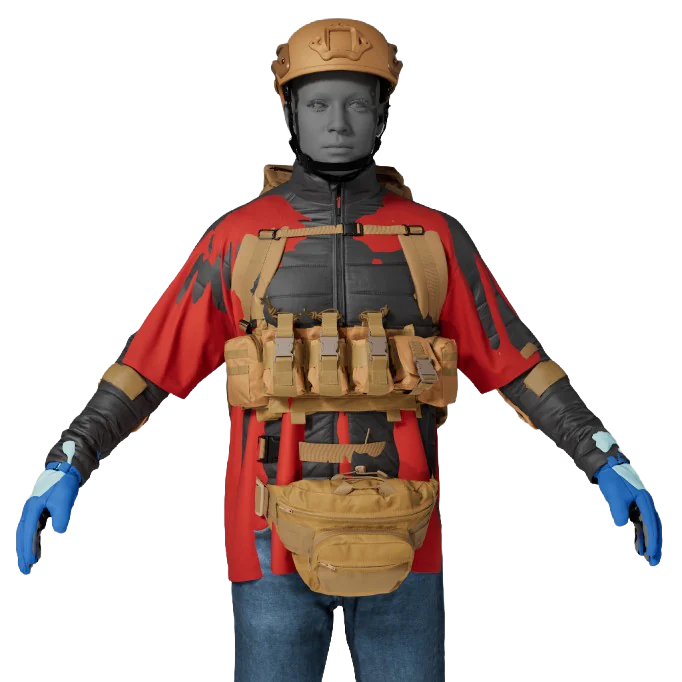
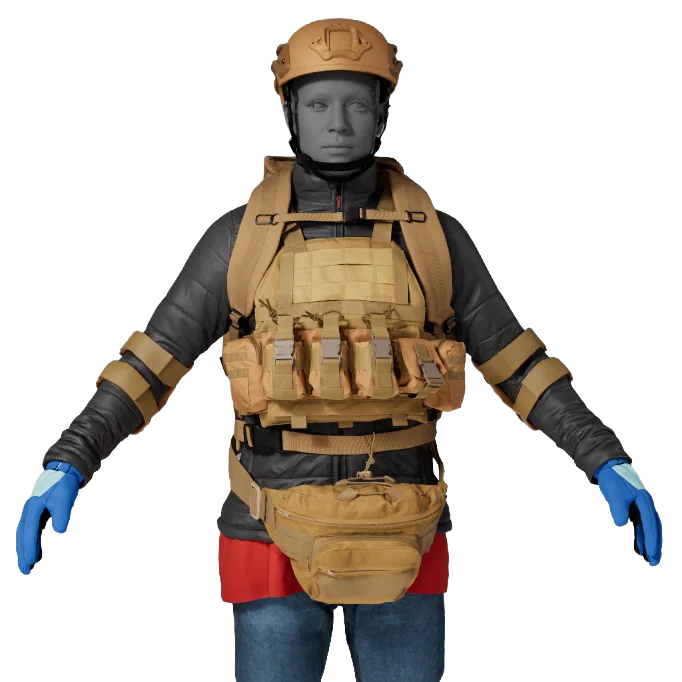 BeforeAfter Fit
Outfit Creator fits every garment to the body and to each other in one click, right inside Unreal Engine. Then it sends the outfit straight to MetaHuman Creator to choose any body type.
Shirts tuck into pants, pants into boots, gear sits on top of jackets. Every layer is fitted to the body and to the layer beneath it.
BeforeAfter Fit
Recolor each garment by zone and place prints.
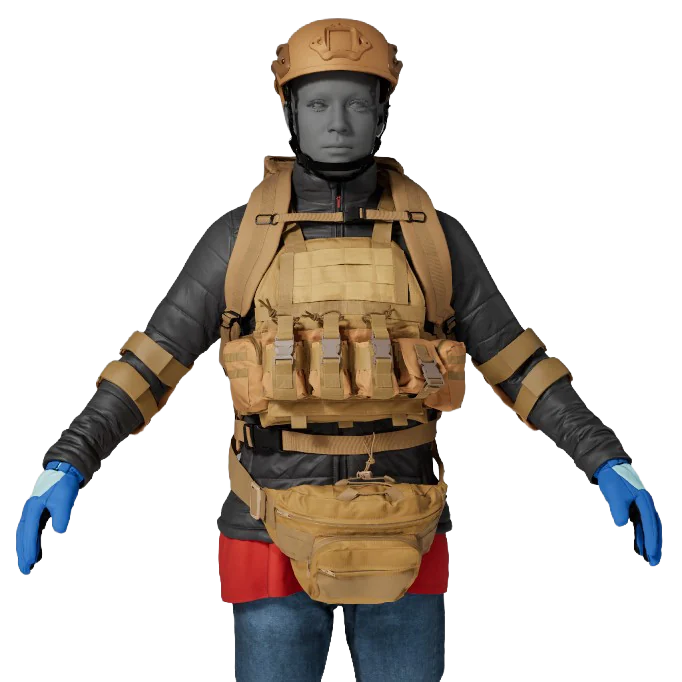
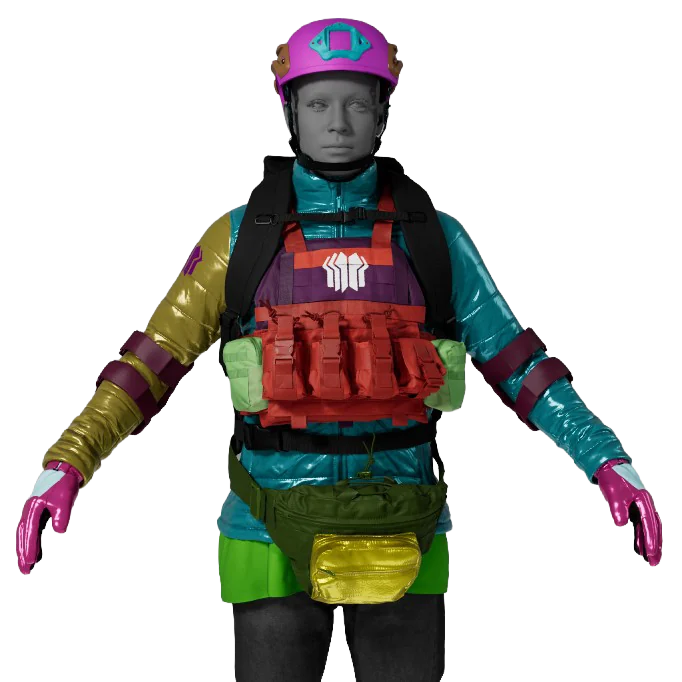 OriginalMaterials and prints
Add dirt, dust, mud, blood, wear or wetness with a few sliders. Everything is baked into the textures on export.
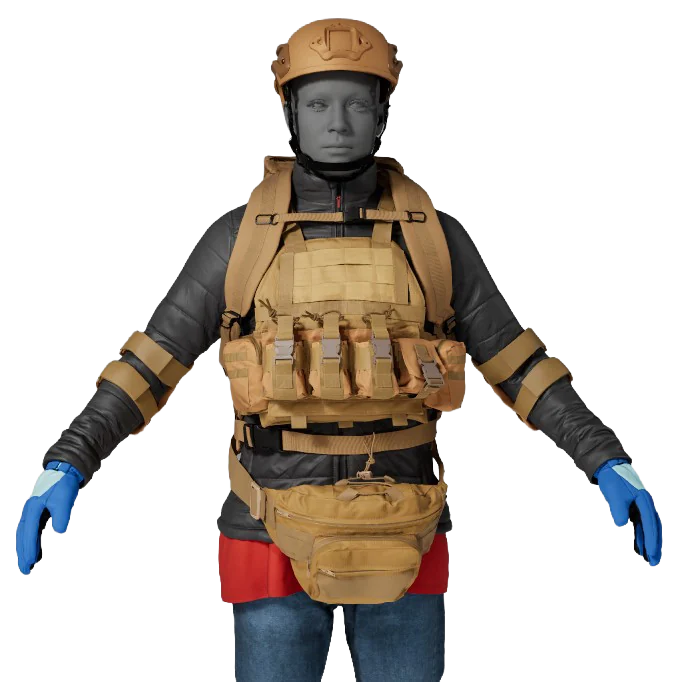
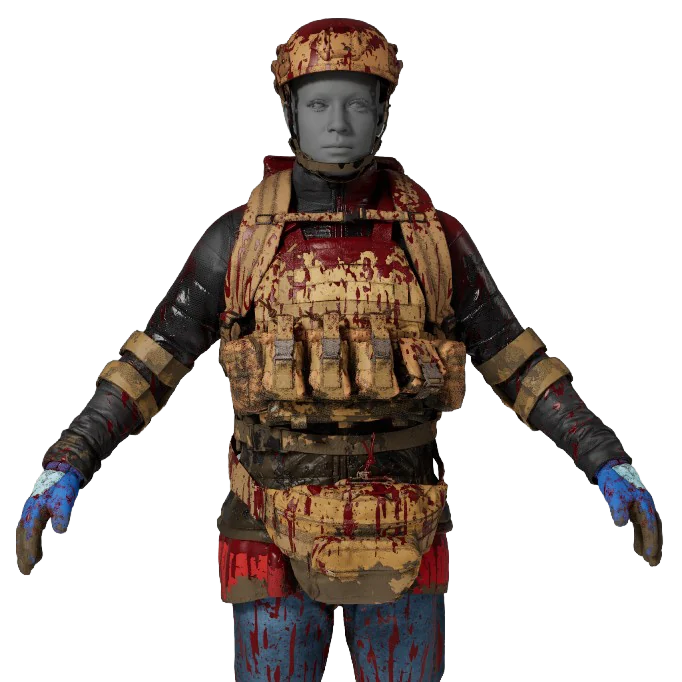 No effectsEffects
Helmets, backpacks and knee pads move as one piece, and skin doesn't poke through the clothes.
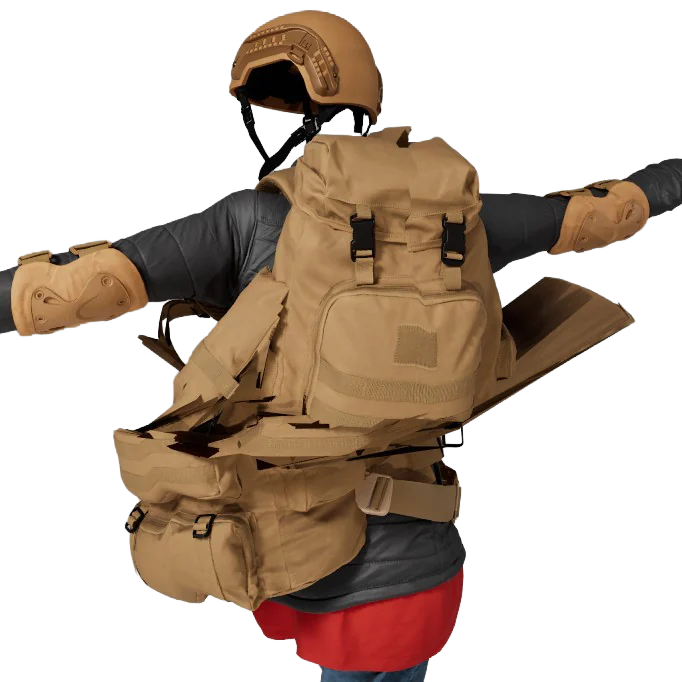
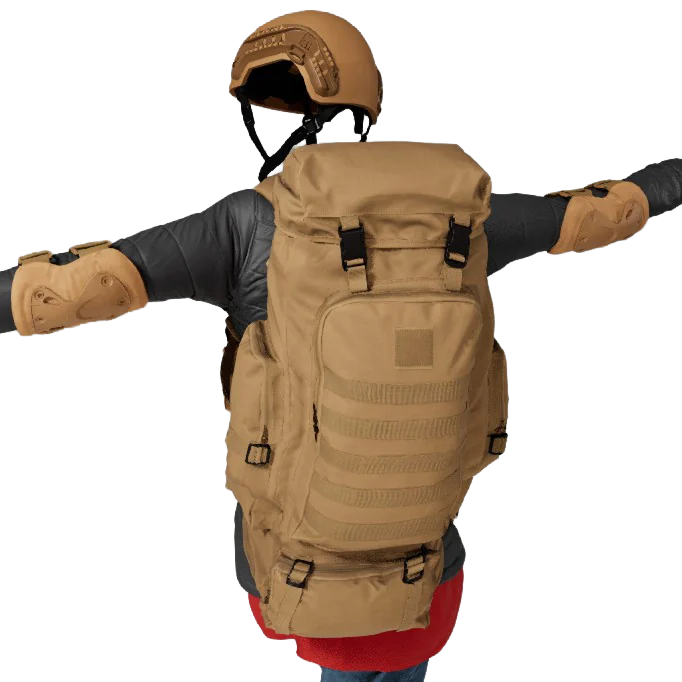 BeforeAfter Fix skinning
Unreal Engine 5.8 on Windows 10 or 11 (64-bit). It uses the MetaHuman plugins that ship with the engine. You'll also need two free packs from Epic on Fab — MetaHuman Clothing Construction Presets, Set of 4 and Set of 2, for an accurate fit. The plugin walks you through it the first time you open it. Support for Unreal Engine 5.7 and 5.9 is in development. macOS isn't supported yet.
Yes. Outfit Creator works with MetaHuman outfit packages (.mhpkg) from other Fab sellers and from Epic. If a pack doesn't behave, tell us on Discord or at hello@outfit-creator.com.
Yes. Import an FBX with textures, modeled for the MetaHuman body, from Marvelous Designer, CLO or Blender. Outfit Creator detects the body, skins the garment and treats it like any other piece — no rigging needed.
No. Everything happens in the Unreal Editor. If you want to take the outfit further, export FBX + textures.
A MetaHuman character in MetaHuman Creator wearing the fitted outfit, ready for your project. Optionally, FBX + textures of the outfit and, on Creator, the outfit as a parametric MHPKG file.
You do. Outfit Creator doesn't change the license of the garments you bought — it stays as the seller set it.
Steps that change your character keep a backup, and you can restore it. It's in Early Access, so back up your project before you start.
Sign in and download the plugin zip from Account › Downloads, then unzip it into Engine\Plugins\Marketplace in your Unreal Engine 5.8 folder — the steps are on that page. In your project, switch Outfit Creator on in Edit › Plugins and restart the editor, then open Window › Outfit Creator and sign in — your free account is created on first sign-in, with Google or your e-mail. No form, no card. Watch the step-by-step tutorial on YouTube.
Outfit Creator is free during Early Access, until 31 December 2026 (personal, non-commercial use). From 1 January 2027 there's a free plan, Creator at $29 a month or $271 a year, and Outfit Creator Perpetual at $499 one-time. Accounts created by 31 December 2026 get founder prices if they buy by 31 March 2027: half price for the first year of yearly Creator, or Perpetual for $349. See Pricing.
Your account moves to the free plan automatically. Nothing is charged and there's nothing to cancel. Outfits you already made stay yours for personal, non-commercial use; for commercial use, export them again on Creator. To keep every feature, subscribe to Creator. Accounts created by 31 December 2026 get the yearly Creator plan at half the regular price for their first year, if they buy it by 31 March 2027. We'll show the exact price before sales open.
An outfit counts once — the first time you create its MHPKG or export it in any way. After that, exporting it again and changing its materials, prints, effects, fit or body doesn't count while its garments stay the same. Adding or swapping a garment makes it a new outfit. The plugin tells you before it counts.
Outfit Creator works and you can use it in real projects today. We keep adding features and fixing issues, and what you report on Discord shapes what comes next. Until 31 December 2026 every feature is free for personal, non-commercial use.
No. It's an independent plugin for Unreal Engine and MetaHuman.
Download it free and fit your first outfit today.